
From the case opening to the result on record.
The process is still yours: stages, required fields and permissions apply to people and agents alike. The agent works inside the case, like one more person on the team.
- 01
Intake
The case comes in.
Through a form, an email, an automation or someone on the team. Two automations always create a case: Schedule (daily, weekly, monthly or business day, with time and time zone) and Inbound webhook, a URL with a secret key that another system calls. A repeated call doesn't duplicate the case.
ExampleOn the 1st of every month at 8 a.m., create "Month-end close" and assign it to the reconciliation agent.
- 02
Someone is working
The agent starts on its own.
When the case enters a working stage with the agent as assignee, when someone writes @Agent in a comment, when someone clicks a quick action or when an automation assigns the case to it. There are never two runs at once on the same case, and a comment made while it works reaches the agent right away.
ExampleDuring implementation the PO comments "don't touch the payments module". The agent gets it and adjusts without waiting to finish.
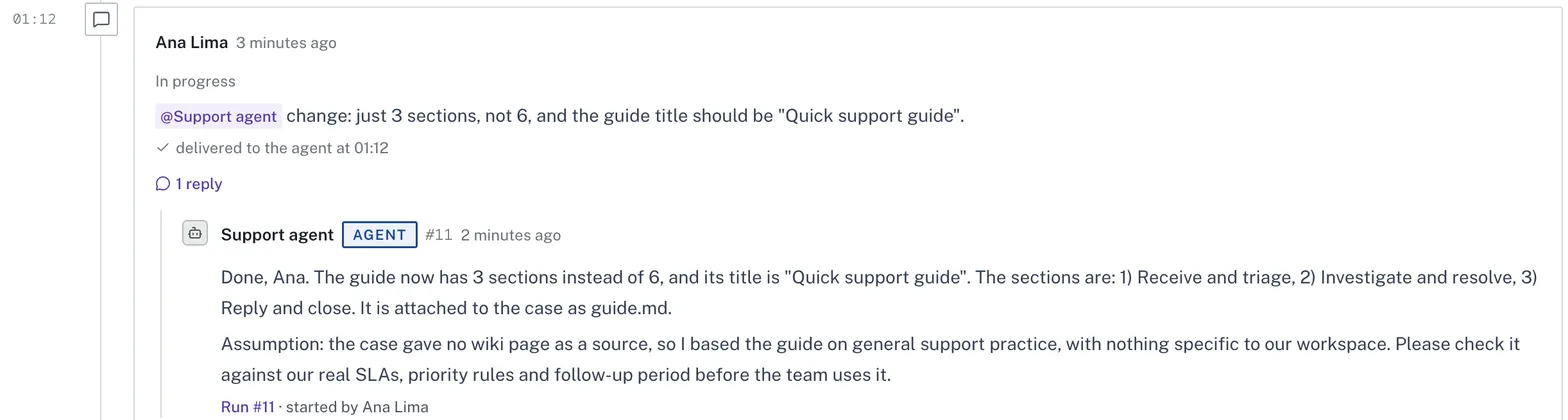
SUP-2026-00010The comment reaches the agent while it works, and it adjusts what it is doing. (CaseFy screen, example data) - 03
Waiting for a decision
It stops and asks.
When a question blocks the work, or when the process requires approval, the agent opens a decision request on the case with the question and the options, and ends the run. It doesn't sit there waiting.
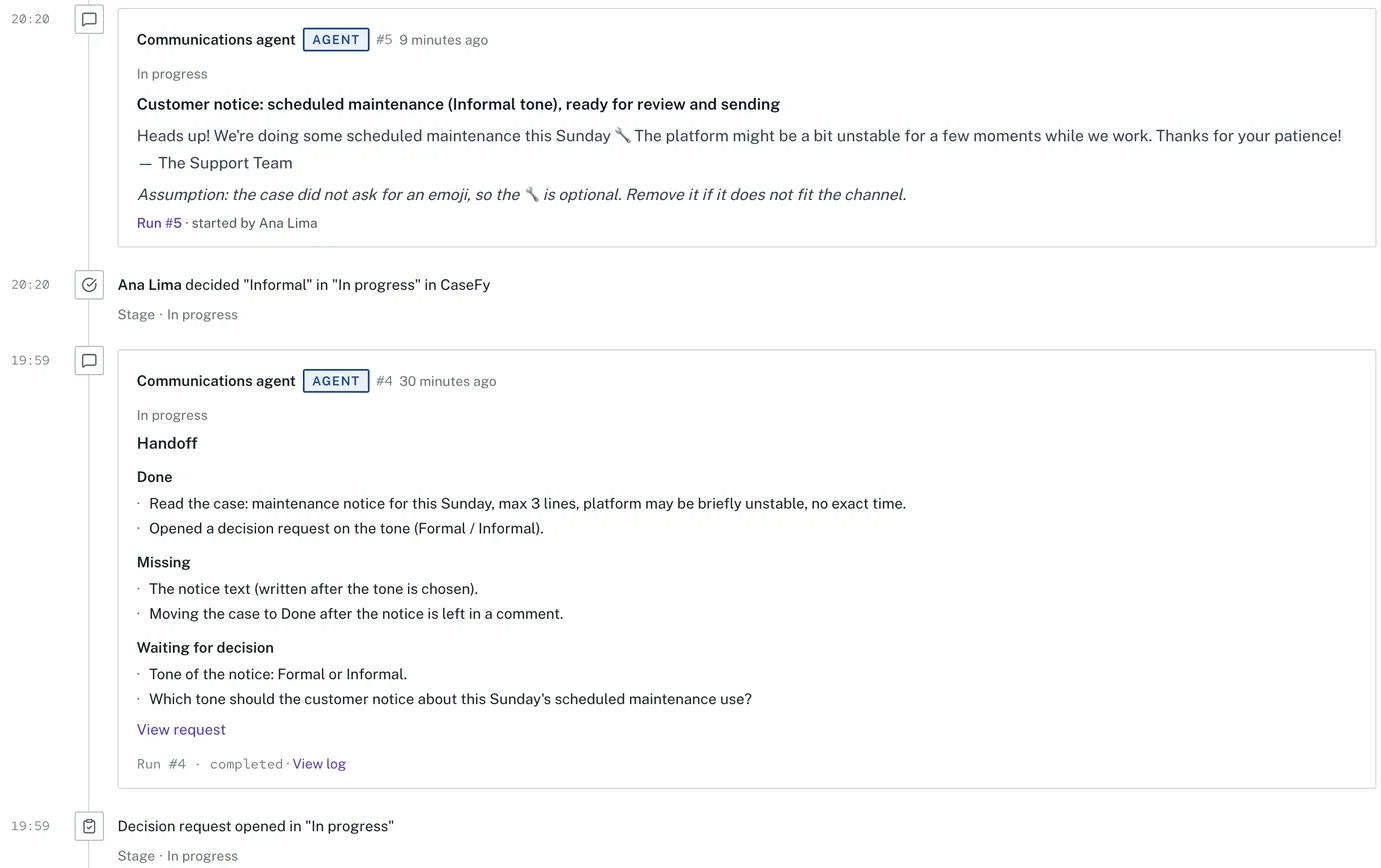
SUP-2026-00005The agent asks about the tone, a person picks Informal and the notice is written in that tone. (CaseFy screen, example data) - 04
Decision
A person decides.
On the case itself, in the Inbox (Agents tab) or from the card in Microsoft Teams. With the answer, the agent carries on by itself. It never leaves a "Waiting for approval" stage and never answers decision requests. Approval limits apply to people and agents alike: when leaving the stage, if the value is over the limit, it needs approval from whoever holds that limit.
ExampleA discount above 10% needs the manager; above 25%, the director. With several tiers, the highest one applies.
- 05
Done
The result stays on the case.
Delivered files become the case's result, with a preview and a link to the run that produced them. A stage can require proof before the case leaves it: result attached, document signed or tasks completed. When it hands the case back, the agent pins the handoff on top: Done, Missing and Waiting for decision.
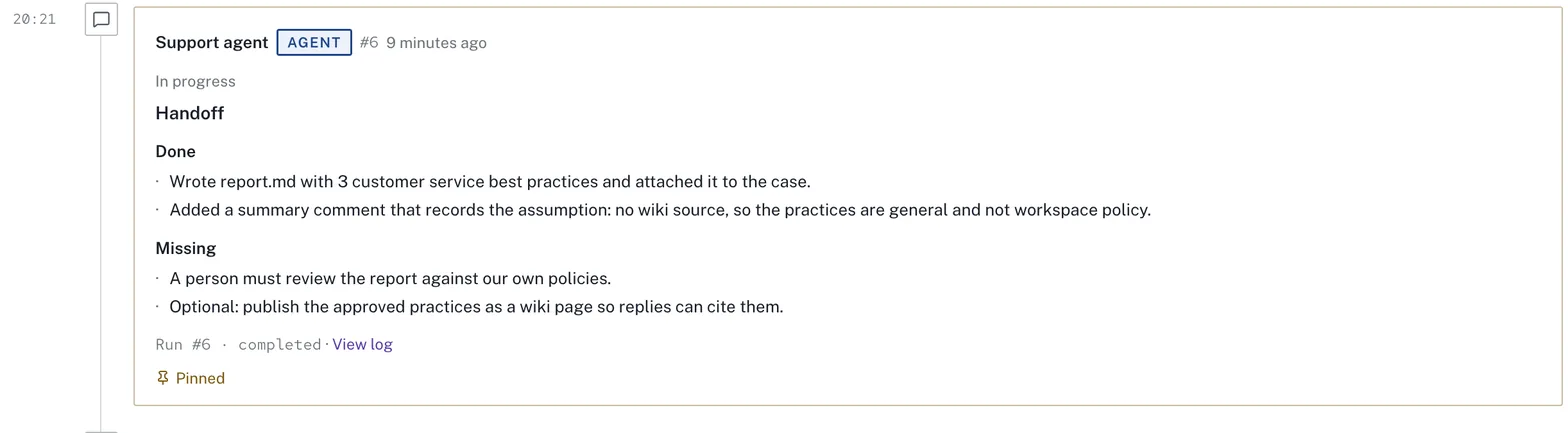
SUP-2026-00006Pinned handoff: whoever picks up the case next doesn't start from scratch. (CaseFy screen, example data)


You can stop it at any moment.
While the agent works, the case shows a banner with who is working, since when and a Stop button.
- Stop
- Stops within seconds. Nothing is undone and a comment records who stopped it.
- Run again
- Resumes the same conversation from where it stopped.
- Failures
- Up to 3 automatic retries. Then the agent stops and tells whoever triggered it, in the Inbox.
- Pause all
- For emergencies: nothing new starts until someone resumes. Owner and Admin only.

An agent is a team member who isn't a person.
It doesn't log in, doesn't take a seat on the plan and shows the AGENT badge. Owner or Admin create and edit it under Settings › Agents.
- Instructions
- What it does, how it does it and what it must never do.
- Processes
- It can be assigned or mentioned only in the processes you pick.
- Access
- Just the case, the whole process or other processes; which wiki spaces; whether it can create cases.
- Skills
- Wiki pages with the how-to for each kind of task.
- Limits
- Maximum time per run (60 min by default) and runs at the same time.
- Sensitive data
- Off by default: it receives tax IDs, bank details and PIX keys masked.
- Where it runs
- The company machine where it works.
- Versions
- Every change becomes a version, with what changed and "Go back to this version".
Every run shows what it cost.
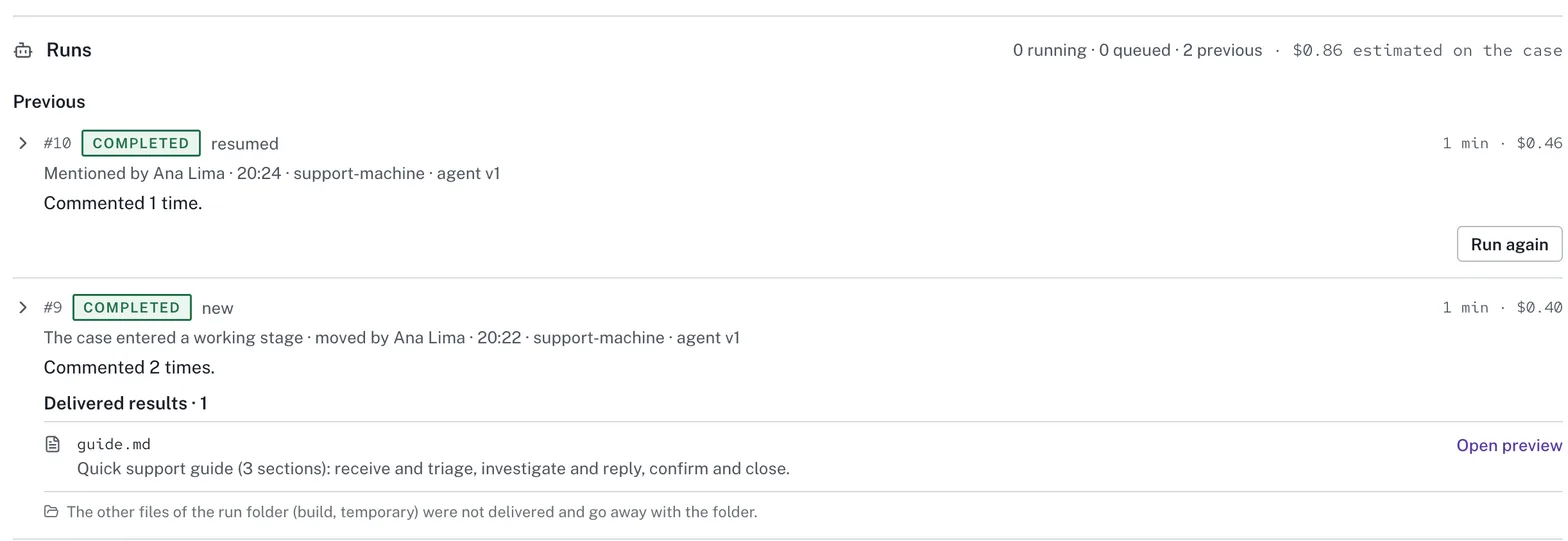
Tokens and estimated cost at API prices, added up per case, per agent and per process. In the example below, two runs of about 1 minute add up to $0.86 estimated on the case.
Start with a process you already run.
Create an account, connect a company machine and put an agent on one stage. It does the work; you decide when the case moves on.
Free plan forever · No credit card