
Alerts become cases. Customer notices go out reviewed.
An alert from another system opens a case through the webhook, cross-team requests arrive in order and the customer notice goes out in the tone someone chose.
Processes to start with
Incidents
The agent does
A New Relic alert, for example, calls the Inbound webhook and opens the case. A repeated call doesn't duplicate it.
The person decides
Decides the root cause and closes the case.
Cross-team requests
The agent does
Creates sub-cases for each team involved. When they all finish, the parent case is notified.
The person decides
Follows the BLOCKED stamp on the Kanban until everything is resolved.
Customer notices
The agent does
Asks what it doesn't know (tone, time) and writes the notice.
The person decides
Picks the option, reviews the text and sends it.
Quick actions on the case header
- Summarize the case
On the CaseFy screen
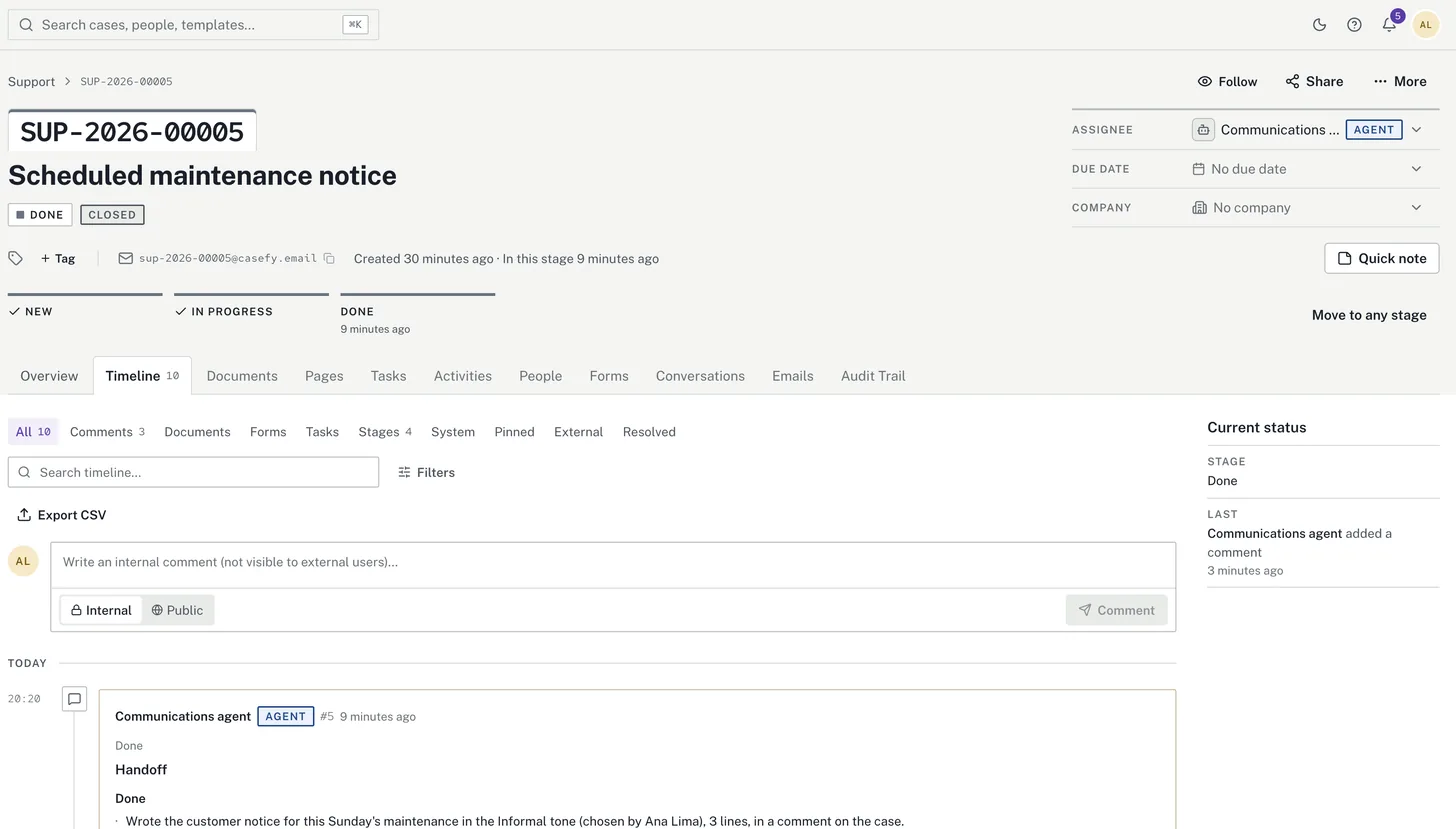
The agent prepares the notice. A person sends it.
Example: the agent asks about the tone, writes the maintenance notice and leaves it on the case for review. The handoff says what's missing: a person reviews the text and sends it to customers. The agent sends nothing.
Other teams
Start with a process you already run.
Create an account, connect a company machine and put an agent on one stage. It does the work; you decide when the case moves on.
Free plan forever · No credit card