
Getting started
Create your first workflow
A workflow is the path your items follow, stage by stage. Your first one takes a name and one click: it opens published, with three stages and a sample item to try.
5 stepsOwner, Admin or ManagerEvery plan
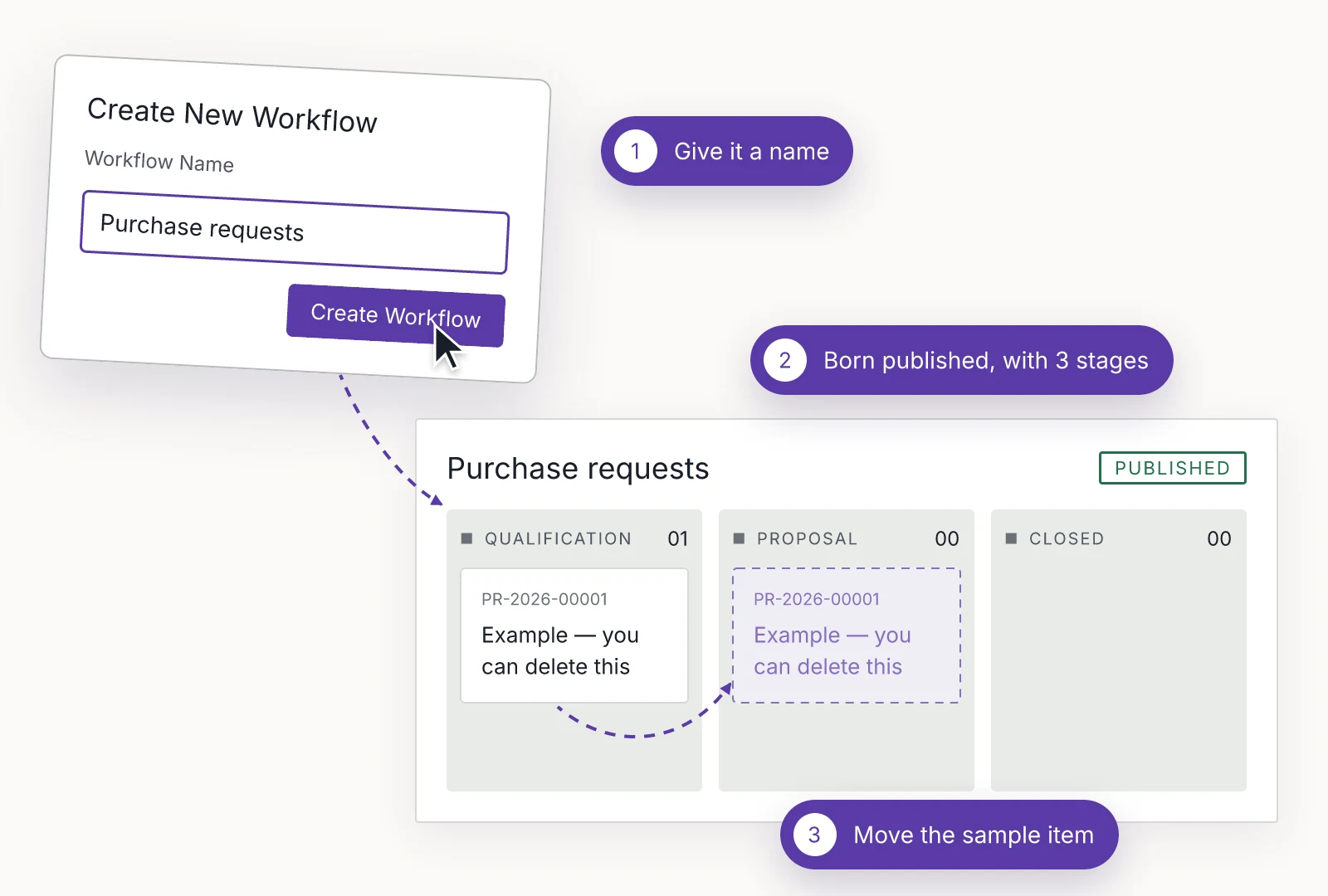
When to use it
- Your workspace is new and you want items moving today.
- A request keeps arriving by email or chat and nobody knows where it stands.
- You want to try CaseFy on a real case before inviting the team.
Step by step
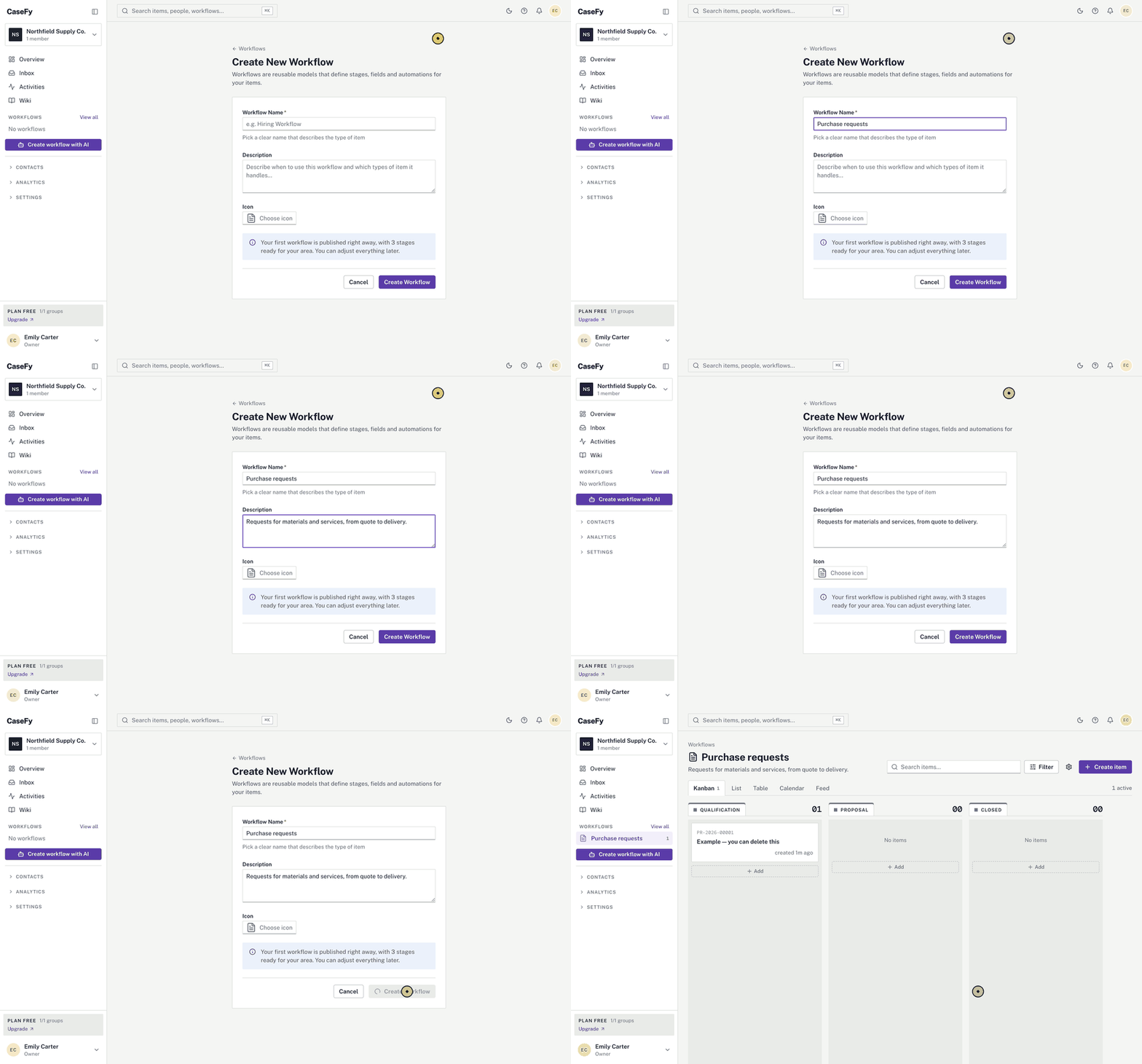
The whole flow, from the name to the board:
- 1
Open Workflows in the left menu and click Create manually.

The button sits at the top of the Workflows page, next to Create workflow with AI. - 2
Type a Workflow Name and click Create Workflow.
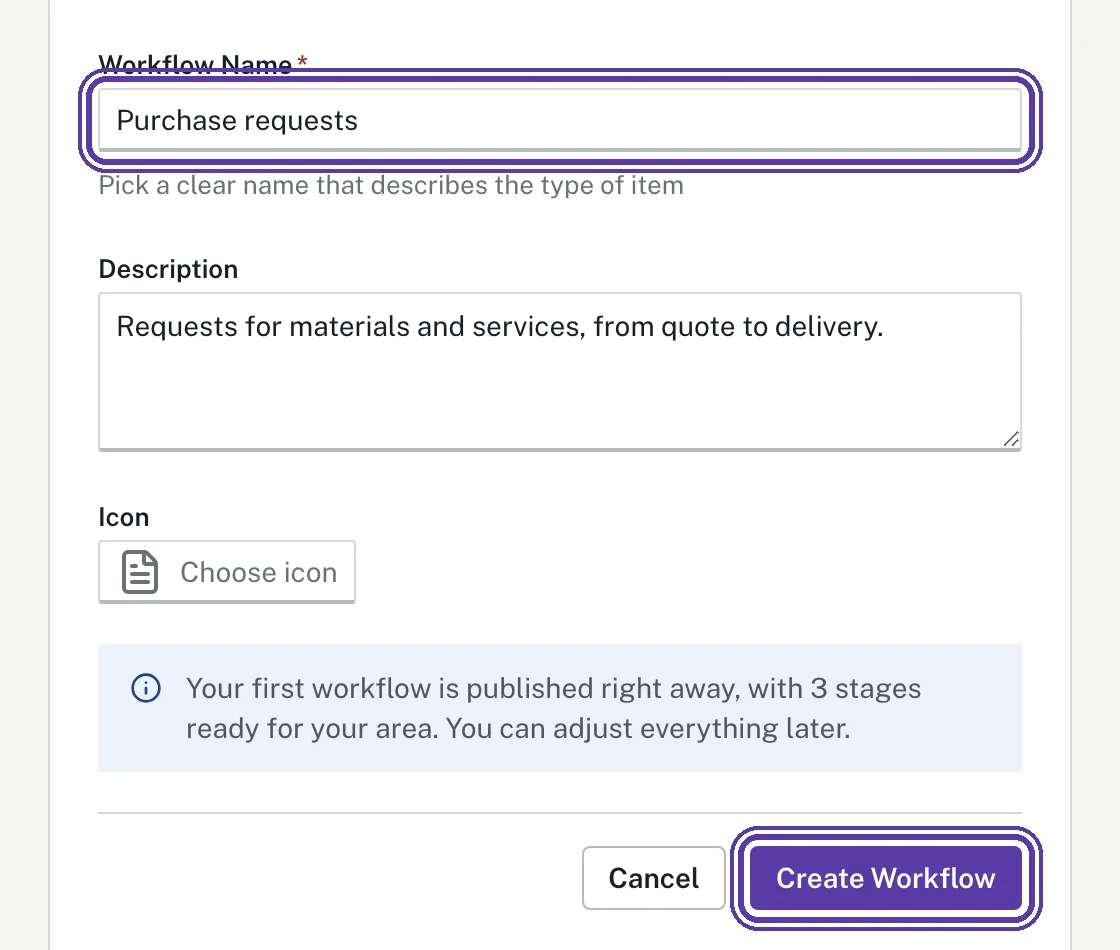
Description and icon are optional. The blue note only shows on the first workflow of a workspace. - 3
The board opens with three stages and a sample item.
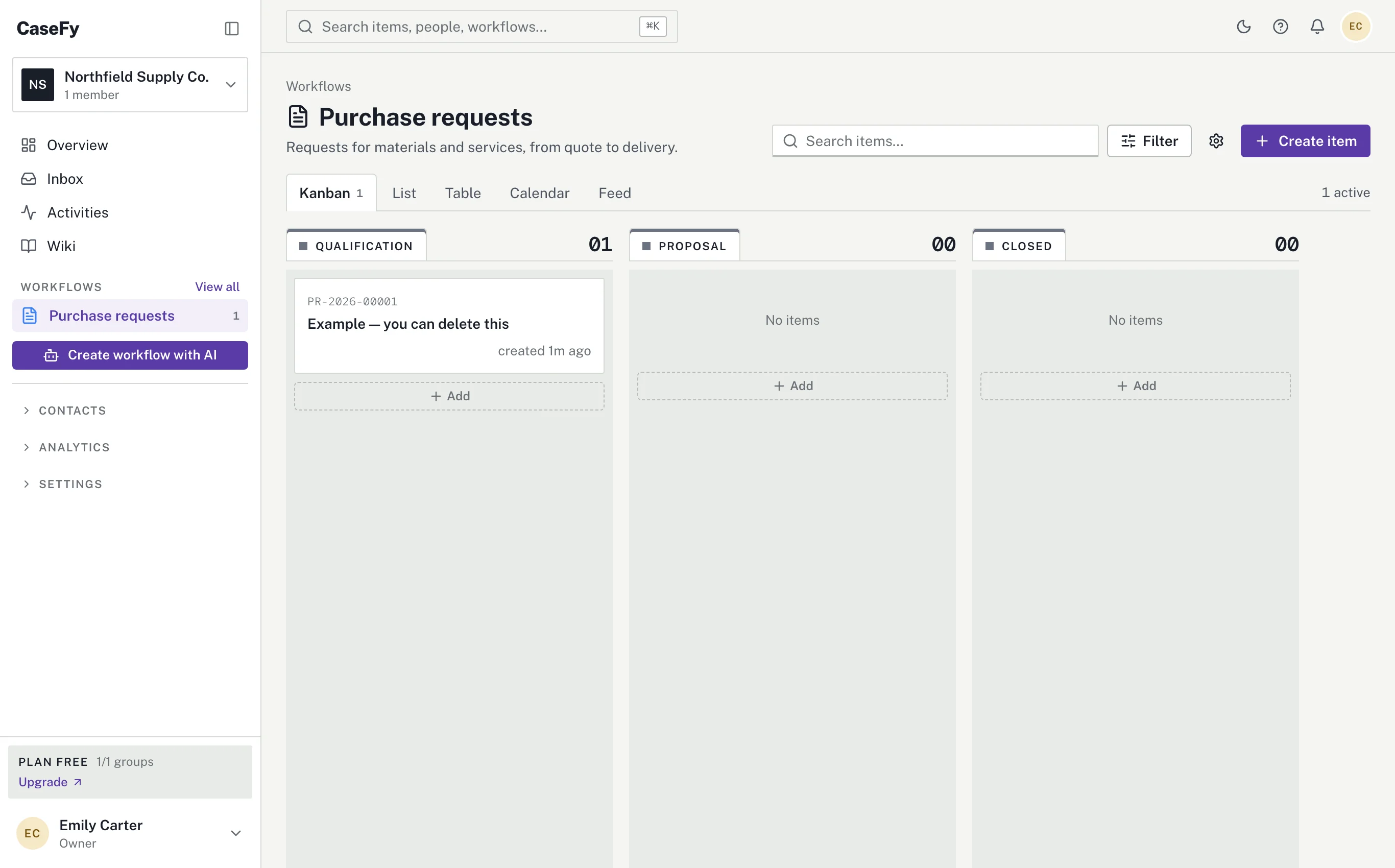
The stages follow the area you picked for the workspace. Here, Sales. - 4
Drag the sample item to the next stage.
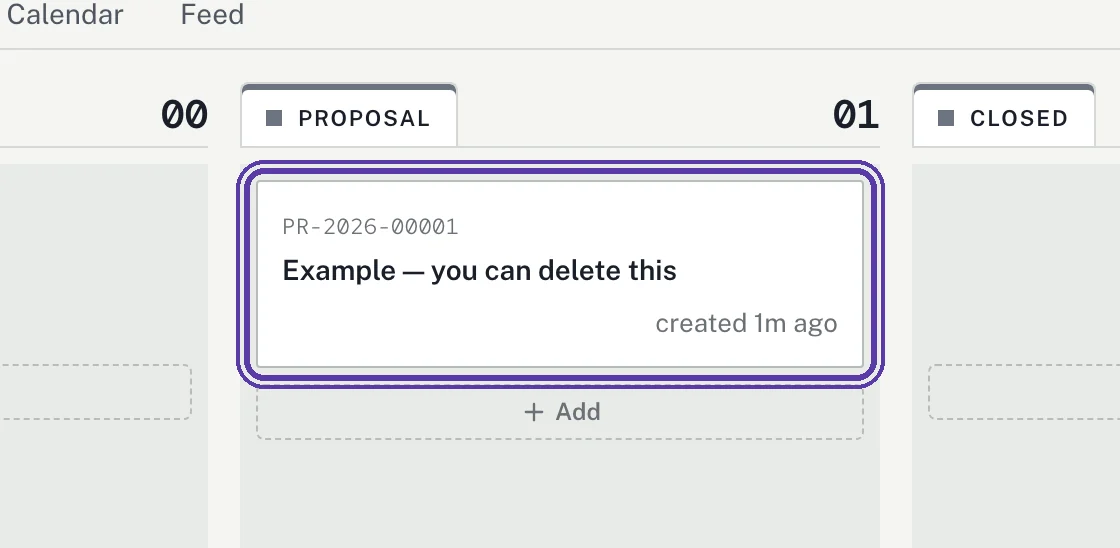
That is the main move of every workflow. - 5
Open the item to see the timeline.
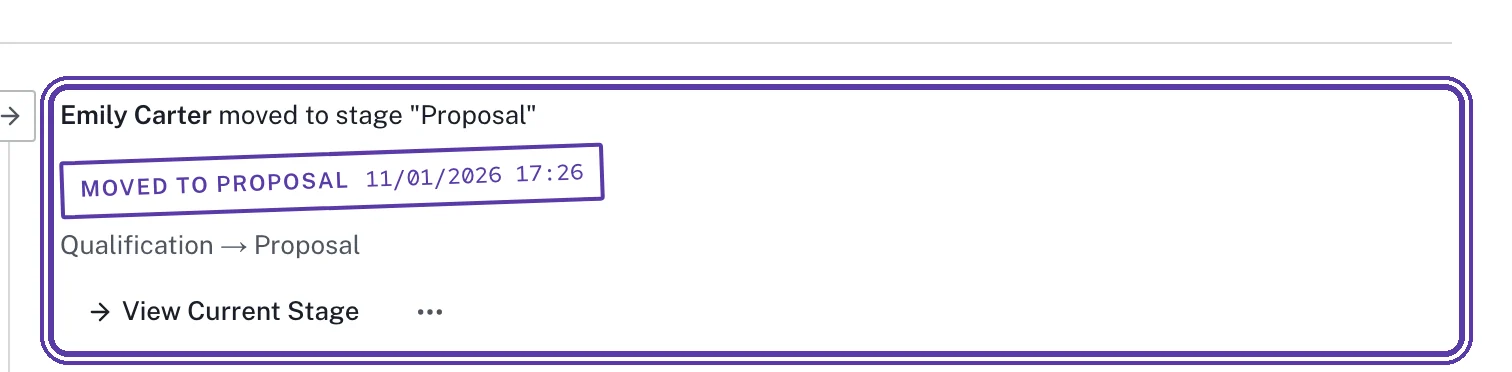
Who moved it, from which stage to which, and when.
What happens next
The workflow shows up in the left menu and on the Workflows page. Anyone with access creates items in it with Create item, and every change of stage lands on the item's timeline, so you always know who moved what and when. Delete the sample item whenever you like.
Details
- Who can create
- Owner, Admin and Manager, or any role with the permission to create workflows.
- How many workflows
- Depends on your plan. Pricing
- Stages
- Three to start. Rename, add or reorder them in the workflow settings.
- Name
- 2 to 100 characters. The description takes up to 500.
Common questions
Do the next workflows also come ready?
No. Only the first workflow of a workspace comes published, with stages and a sample item. The next ones start as drafts and open in settings.
Can AI build the workflow for me?
Yes. Click Create workflow with AI and describe the process in your own words.
Can I delete the sample item?
Yes. It is a regular item, there only so you can try the board.
Send your next caller a link
Describe the job people ask you about most and have it running this afternoon.
14-day free trial · No credit card