
Every tenant request gets a person and a deadline. The late ones are on Monday's list.
Every maintenance request, owner approval and lease renewal gets a person and a date. Vendors get the work order by email, owners approve quotes from a link, and tenants check a tracking page instead of calling you.
For property management companies of 2 to 20 people and 50 to 500 units that run on email, spreadsheets and phone.
3 people: $30/month · 14 days free · No credit card · Tenants, owners and vendors don't pay and don't need an account

Your Monday morning
One screen shows what's open, what's late and who has it. Each person sees their own list too.

One maintenance request, start to finish
- 01
The tenant emails, fills your form with a photo, or calls. (Log a call as a new request in about 20 seconds, with the same person and date.)
- 02
CaseFy sends it to whoever handles that building. Split your work by trade instead? The AI reads the email and fills in the type (AC, plumbing, electrical) and the rule uses that.
The AI also marks the priority and says why. Your deadline table sets the time per priority, counted in your business hours (Urgent: 1 hour). Past that time, the request shows as late.
- 03
The tenant gets a receipt with a tracking link: “We received your request. Track it here. Reply to this email to add anything.”
- 04
Rosa picks the HVAC company from your vendor list. They get the job by email with a link for the quote and photos.
- 05
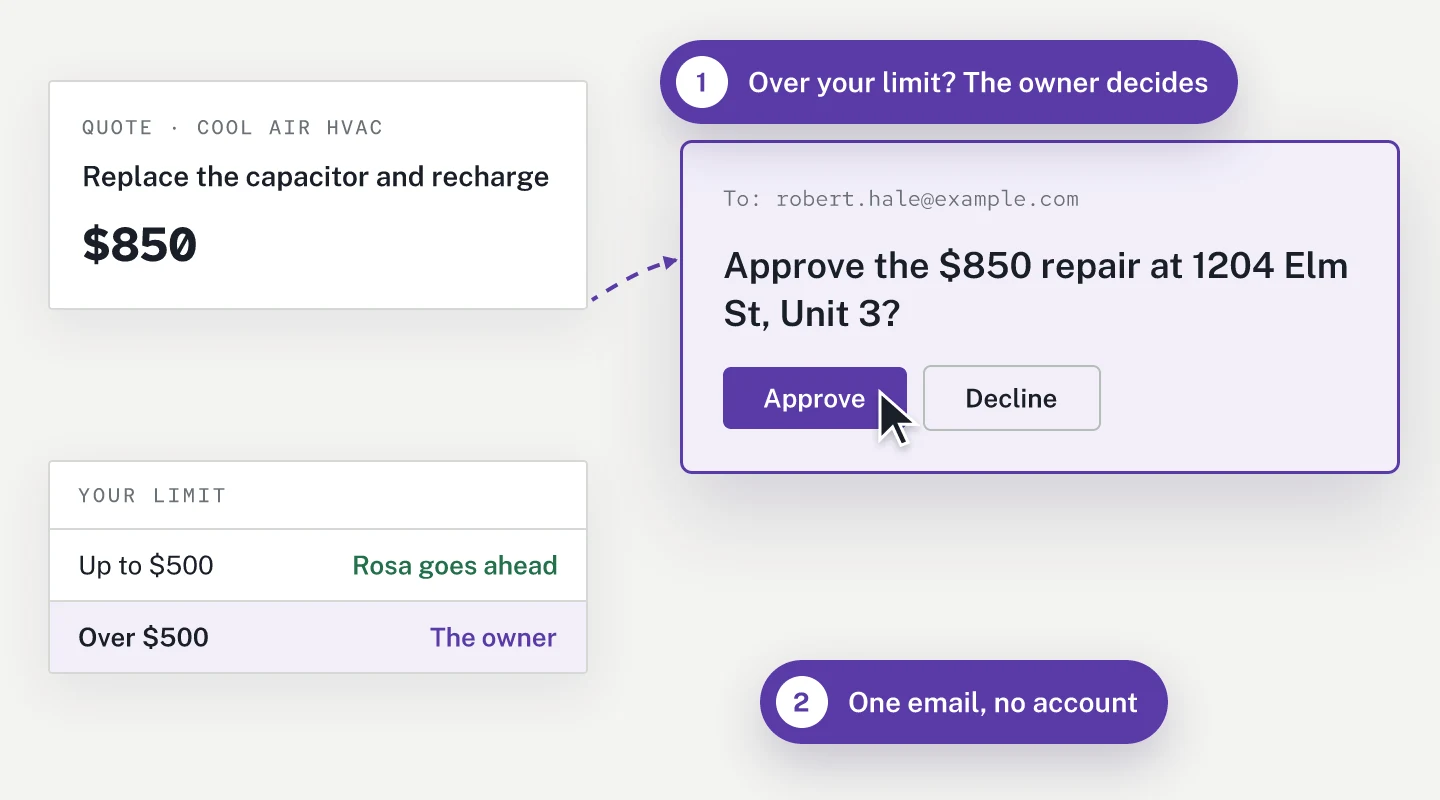
The quote is $850, over the $500 limit you set for this group of owners, so the owner gets one question by email: Approve or Decline. No account. No answer in 24 hours? A rule sends it again and tells Rosa.
- 06
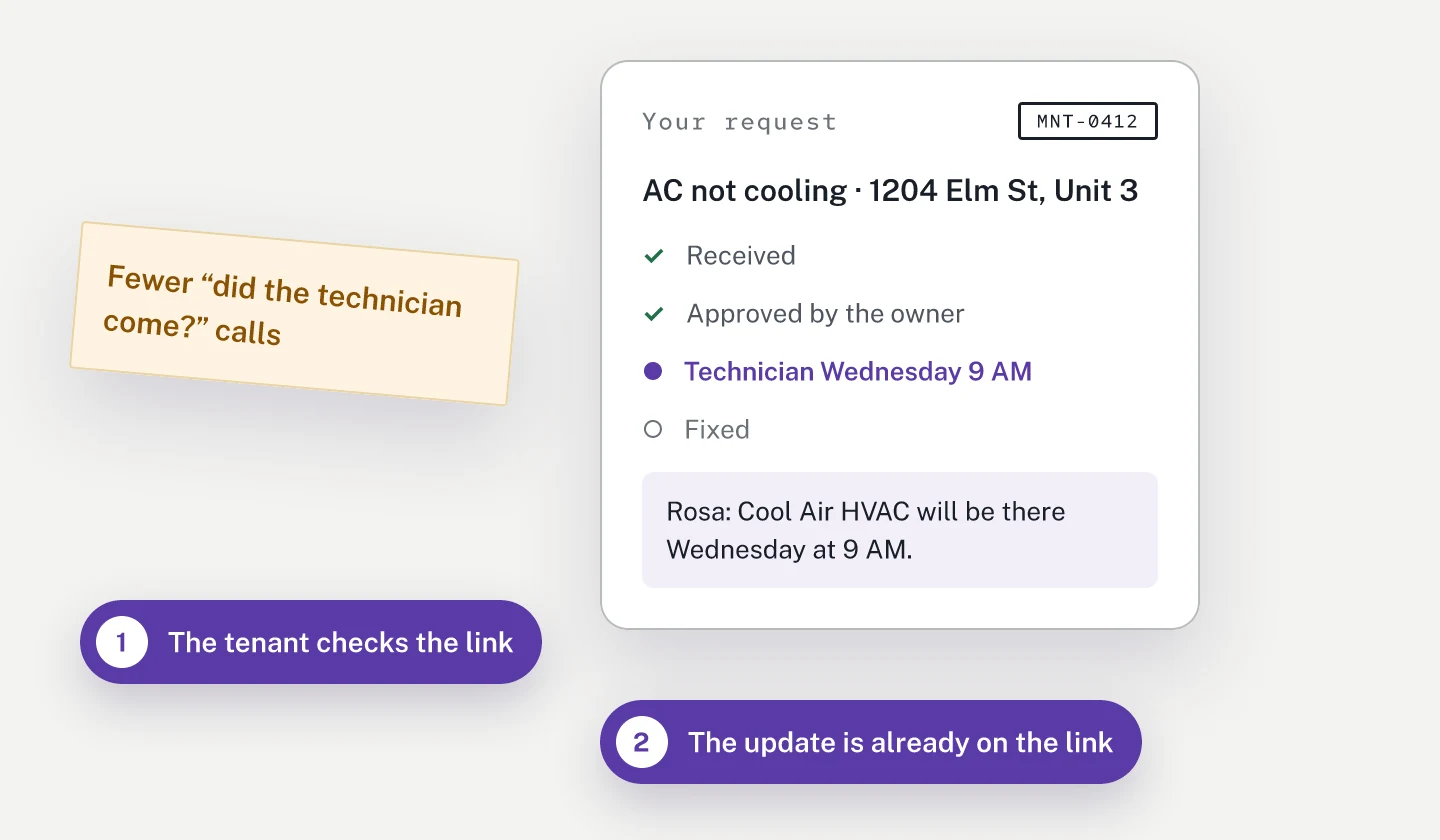
The tenant sees “Technician Wednesday 9 AM” on the tracking page.
- 07
The vendor sends the after photo, Rosa closes it, and the owner gets the summary.


Nothing the AI writes reaches a tenant or owner until someone on your team clicks Send. The receipt and the emails you set up go out on their own.
After hours
Late-night requests get marked urgent and alert whoever is on call by email and in Microsoft Teams. CaseFy doesn't send text messages or make calls, and it doesn't run an on-call rotation: you pick the person.
Renewals
Add each lease with its end date once (about 1 minute per lease). 60 or 90 days before, the person on it gets an alert by email and in the app.
What the AI does
Marks priority with the reason, fills in the type, drafts answers to tenants (someone clicks Send), and asks “Is this the same AC?” when a duplicate comes in.
Your team
Everyone works on one screen: the request. A 20-minute walkthrough is enough to start.
Your data
Encrypted connections, daily backups, a history of every change on each request, export your requests as a spreadsheet anytime. Single sign-on on the Business plan ($15 per person, from 5 people). No SOC 2 certification.
Set up
- 1Import your property and vendor lists from your spreadsheets.
- 2Forward your maintenance email (Gmail: Settings › Forwarding, about 2 minutes; Microsoft 365: your admin adds the CaseFy address to your maintenance group) and put the request form on your site.
- 3Say who handles which buildings. Then add your leases as you go.
Price
$10per person on your team per month, AI included
3 people: $30 · 10 people: $100 · 14 days free, no card